
How do I use Evaboot from Hermes?
Add a few lines to your Hermes config file, then reload its MCP servers. The lines carry your Evaboot API key.
Once connected, Hermes can build a Sales Navigator search from your description, launch the export, and find or verify emails. It uses the same credits and daily quota as the Evaboot dashboard.
Server URL: https://mcp.evaboot.com/mcp
Before you start
Section titled “Before you start”- Hermes installed on your computer.
- An Evaboot account.
- Your Evaboot API key. Find it on the API key page. The MCP page shows the config with your key already in it.
- A connected Sales Navigator account for searches and exports. Email finding and email verification work without one.
Treat the key like a password. It gives full access to your Evaboot account. Never commit it to a repository or paste it into a shared document. A new key immediately breaks anything still using the old one.
-
Open
~/.hermes/config.yamlin a text editor.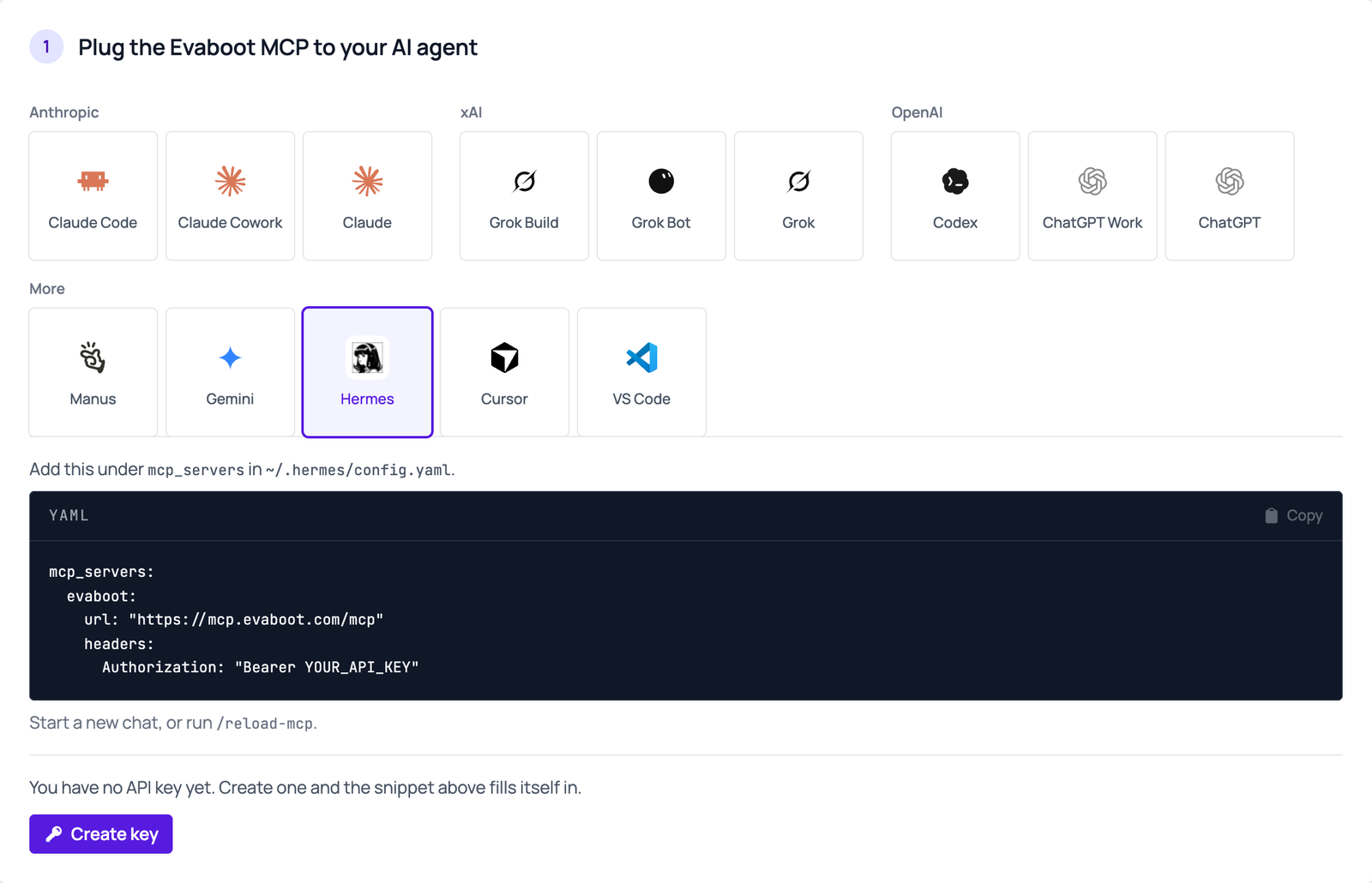
-
Add Evaboot under
mcp_servers. Copy the block from the MCP page, under Hermes. Or replaceYOUR_API_KEYbelow with your key:mcp_servers:evaboot:url: "https://mcp.evaboot.com/mcp"headers:Authorization: "Bearer YOUR_API_KEY"- Already have an
mcp_serverssection? Add only theevabootentry under it.
- Already have an
-
Save the file.
-
Start a new chat, or run
/reload-mcp.
Then ask
Section titled “Then ask”For example: “Using Evaboot, find HR directors at French SaaS companies and export the first 50 with emails”.
If it didn’t work
Section titled “If it didn’t work”- The connection fails, or Hermes reports a 401. Check that the header reads exactly
Authorization: Bearer <key>. Check that the key is the current one. - No Evaboot tools appear. Check that
evabootsits undermcp_servers, then run/reload-mcp. - A tool says “insufficient credits” (402). Check your balance in the Evaboot dashboard.
- A tool returns a 429 error. If the message starts with
No connected LinkedIn account, run one extraction from the Evaboot Chrome extension to reconnect your seat. Otherwise you reached the daily export limit of your Sales Navigator seat: wait for the daily reset. - Quota shows 0, or a tool returns 409. Evaboot lost your Sales Navigator connection. In Chrome, signed in to the same Evaboot account, open a Sales Navigator search and click Export with Evaboot. Opening the launch page is enough. Then retry. Full steps: How to reconnect your LinkedIn account.