
How do I use Evaboot from Grok?
Add Evaboot to Grok as a custom connector, then ask Grok in plain words. It takes about a minute, works on Grok’s free plan, and needs no API key.
This is for Grok on grok.com. Connectors are shared with your Grok account, so the Grok Bot desktop app gets Evaboot too. For Grok Bot only, see How Do I Use Evaboot from Grok Bot?
Once connected, Grok can build a Sales Navigator search from your description, launch the export, and find or verify emails. It uses the same credits and daily quota as the Evaboot dashboard.
Server URL: https://mcp.evaboot.com/mcp
Before you start
Section titled “Before you start”- A Grok account at grok.com. The free plan is enough.
- An Evaboot account. You sign in to it during setup.
- A connected Sales Navigator account for searches and exports. Email finding and email verification work without one.
- Open Plugins on grok.com. It is also in the left sidebar, under Plugins.
- Click New Connector, then Custom.
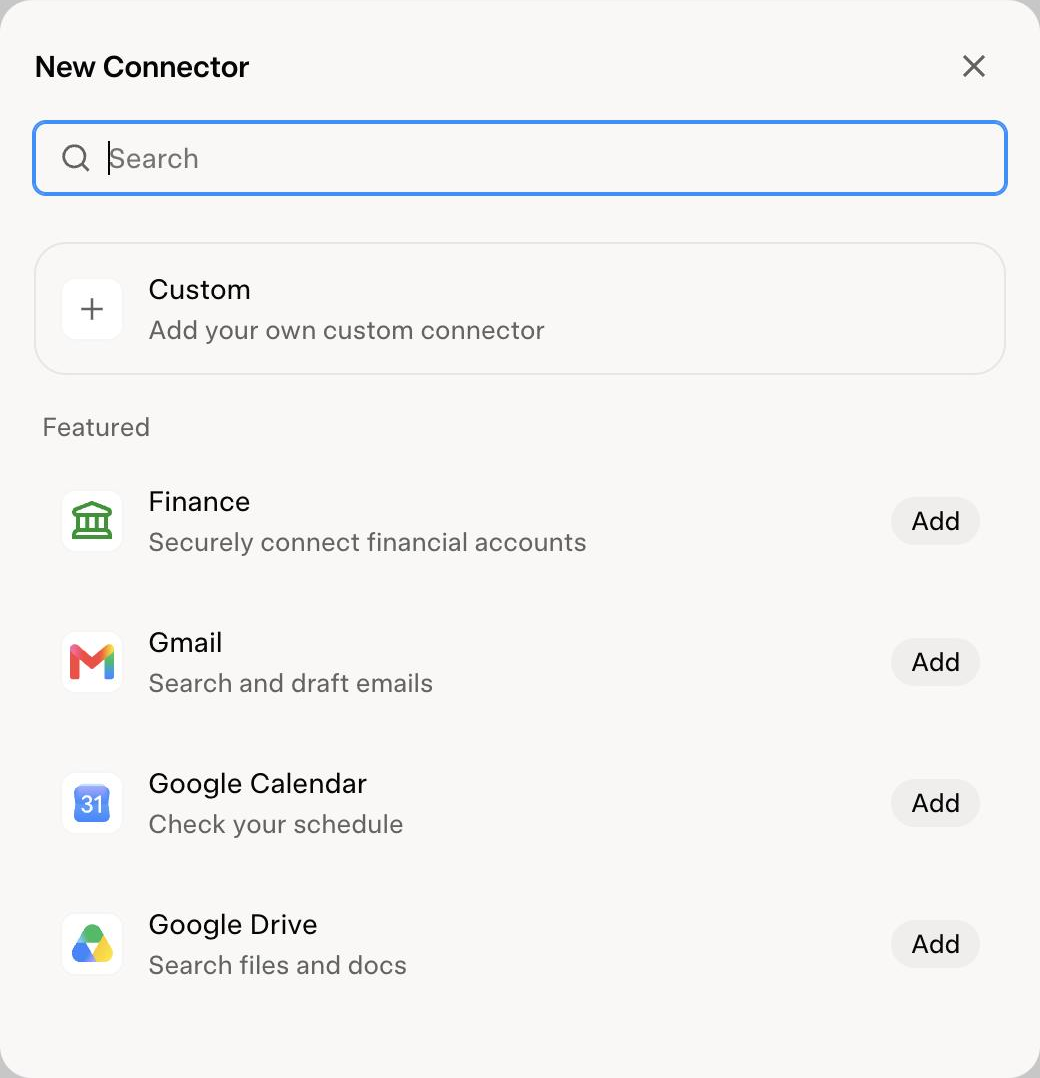
- Name the connector and paste the URL. Any name works, for example
Evaboot MCP. In Server URL, pastehttps://mcp.evaboot.com/mcp. Click Add Connector.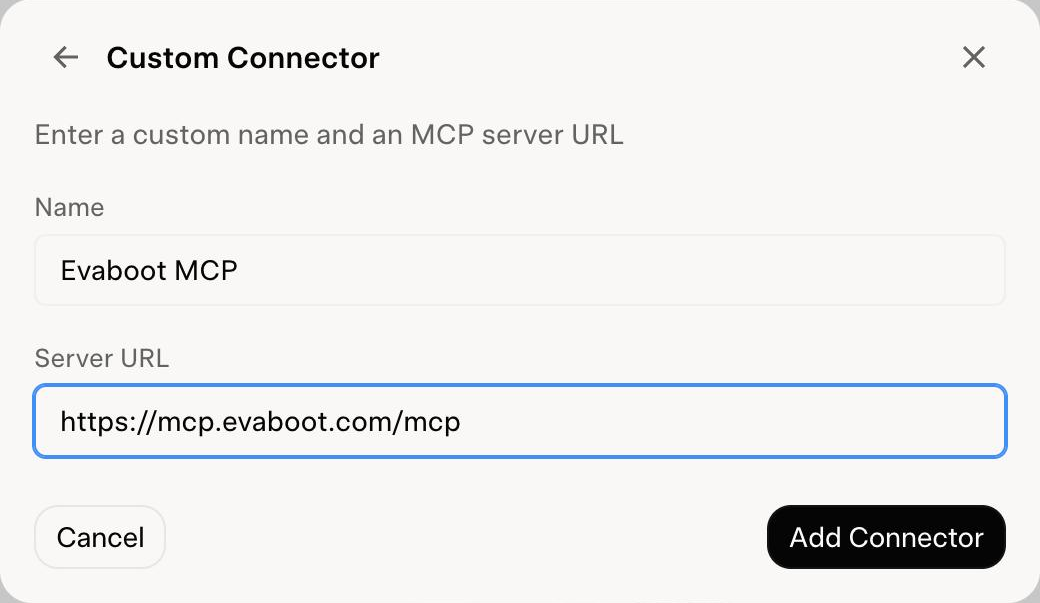
- Sign in to Evaboot and click Authorize. A new window opens on Evaboot. When it says your account is connected, close it.
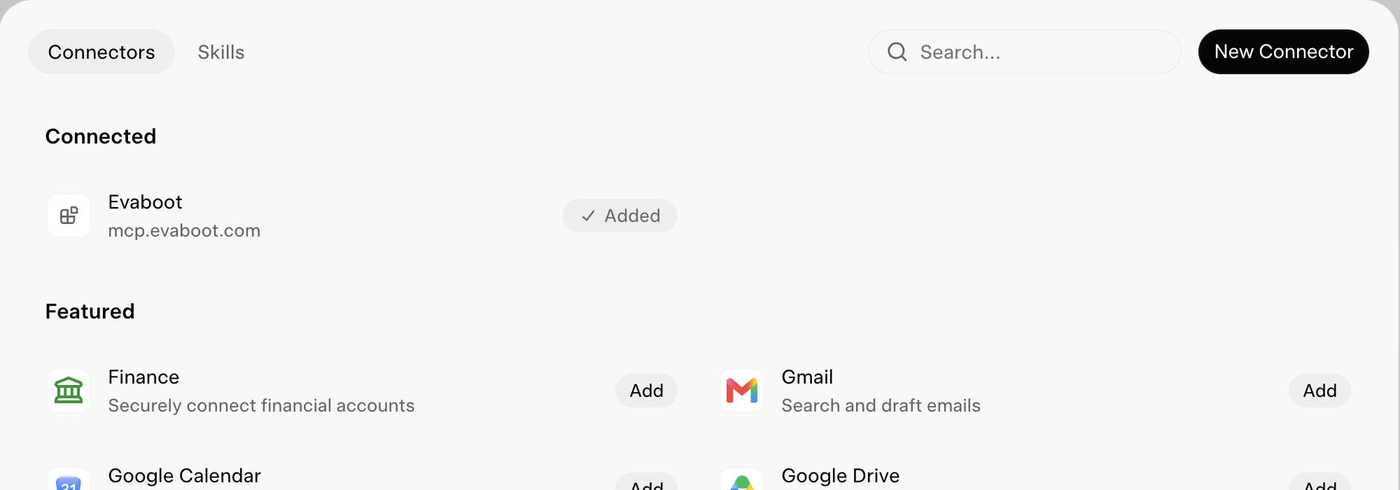
- Check that Evaboot shows as Added under Connected.
- Ask Grok. For example: “Using Evaboot, check my export quota” or “Find HR directors at French SaaS companies and export the first 50 with emails”.
If it didn’t work
Section titled “If it didn’t work”- “Connection failed” right after Add Connector. Your browser probably blocked the Evaboot sign-in window. Allow pop-ups for grok.com, then add the connector again.
- The name field turns red. You already have a connector with that name. Pick another name, or use the one you already added.
- Grok answers without using Evaboot. Start your message with “Using Evaboot” so Grok picks the connector.
- Exports fail but email tools work. Evaboot has lost your Sales Navigator connection. Run one extraction from the Evaboot Chrome extension to reconnect it.